
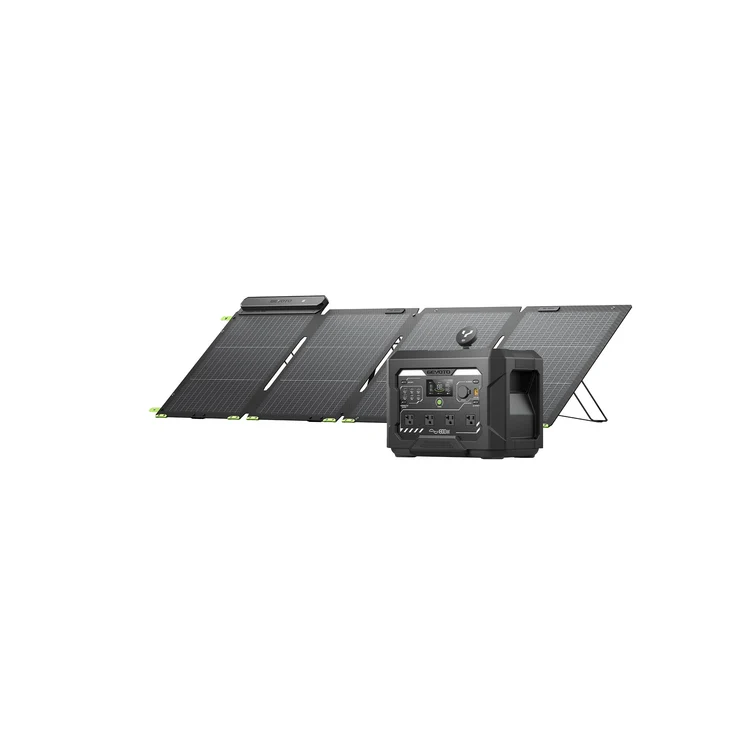
A reliable backup power system can make a major difference during power outages, camping trips, road travel, and emergency situations. A 1024Wh solar generator kit with 200W panel offers a practical combination of battery storage and renewable energy generation. With enough capacity for many everyday electronic devices and a solar panel for replenishing the battery, this type of kit can provide useful off-grid power without relying entirely on fuel.
Understanding how the system works, how to set it up correctly, and how to use its available capacity efficiently can help you get the most from your investment. This complete guide explains the essential components, setup process, charging methods, power management, and maintenance considerations.
Understanding a 1024Wh Solar Generator Kit
A solar generator kit generally consists of a portable power station and one or more solar panels. The 1024Wh rating refers to the battery’s energy storage capacity. In simple terms, a fully charged 1024Wh battery theoretically stores up to 1,024 watt-hours of energy, although usable energy will be lower because of conversion losses and the manufacturer’s operating limits.
The 200W panel provides a way to recharge the power station using sunlight. The actual amount of electricity generated depends on sunlight intensity, panel positioning, weather conditions, temperature, shading, and the efficiency of the charging system.
Together, these components create a portable energy system that can be used when conventional electricity is unavailable.
Key Components of the System
Before setting up your 1024Wh solar generator kit with 200W panel, it is important to understand what each component does.
Portable Power Station
The power station contains the rechargeable battery, inverter, charging circuitry, and various output ports. Depending on the model, it may provide AC outlets, USB-A ports, USB-C ports, DC outputs, and a vehicle-style outlet.
The inverter converts stored battery energy into usable AC electricity for compatible household appliances and electronics.
200W Solar Panel
The solar panel converts sunlight into electrical energy. It connects to the power station through a compatible solar charging input. Although the panel may be rated at 200W under laboratory conditions, real-world output is normally lower.
Charging Cables and Adapters
Solar generator kits commonly include cables for connecting the panel to the power station. Some systems may also include an AC wall charger or car charging cable.
Always check connector types, voltage ranges, polarity, and maximum input specifications before connecting equipment.
How to Set Up the Solar Generator
Setting up a 1024Wh solar generator kit with 200W panel is generally straightforward when the manufacturer’s instructions are followed carefully.
Step 1: Inspect the Equipment
Before using the system, inspect the power station, solar panel, cables, and connectors. Look for damaged insulation, bent connectors, cracks, or signs of moisture.
Do not operate equipment that appears damaged.
Step 2: Charge the Power Station
If possible, fully charge the power station before your first emergency use. An AC wall charger is often the fastest option, while solar charging is useful when grid electricity is unavailable.
The first full charge also gives you an opportunity to familiarize yourself with the display, controls, charging indicators, and output ports.
Step 3: Position the Solar Panel
Place the 200W panel in an unobstructed location receiving direct sunlight. Keep it away from shadows created by trees, buildings, vehicles, or other objects.
Adjust the panel’s angle according to the sun’s position and reposition it periodically if practical.
Step 4: Connect the Panel
Connect the solar panel to the designated solar input on the power station. Confirm that the connection is secure before activating solar charging.
The display should normally indicate that solar input has been detected. If charging does not begin, check the cable connections, sunlight conditions, and compatibility specifications.
Estimating How Long the Battery Can Run
Battery runtime depends on the power requirements of the connected devices.
For example, a device consuming 50W continuously would theoretically require about 50 watt-hours per hour. A 1024Wh battery could therefore provide roughly 20 hours under idealized conditions. In practice, inverter losses and other system limitations reduce the actual runtime.
A useful basic calculation is:
Runtime ≈ Usable battery capacity ÷ Device power consumption
If several devices are connected simultaneously, add their wattages together before estimating runtime.
For instance, a 60W laptop, 10W phone charger, and 40W lighting system would have a combined demand of approximately 110W. Reducing unnecessary loads can significantly extend operating time.
What Can a 1024Wh System Power?
A 1024Wh power station can potentially operate many common low- and medium-power devices, depending on its inverter rating and output specifications.
Suitable applications may include:
- Smartphones and tablets
- Laptops and computers
- Wi-Fi routers
- LED lights
- Cameras and photography equipment
- Small televisions
- Portable fans
- Certain medical or mobility equipment, where the manufacturer’s requirements are compatible
- Small appliances within the power station’s rated output
High-wattage appliances such as electric heaters, large air conditioners, electric kettles, and powerful cooking equipment can drain the battery quickly and may exceed the inverter’s output limit.
Always compare an appliance’s running wattage and startup or surge requirements with the power station’s specifications.
Using Solar Charging Efficiently
Getting the best performance from a 1024Wh solar generator kit with 200W panel requires realistic expectations about solar production.
A 200W panel does not necessarily produce 200W continuously. Cloud cover, haze, heat, poor positioning, and partial shading can reduce production considerably.
Keep Panels Unshaded
Even partial shading can substantially affect solar output, depending on the panel design.
Optimize Panel Position
Position the panel toward the strongest available sunlight. During a long charging session, occasional repositioning may improve total energy production.
Monitor Input Power
Many modern power stations display real-time solar input. Monitoring this figure helps you identify better panel positions and understand how weather affects charging.
Using the Power Station During Emergencies
One of the biggest advantages of this type of kit is its usefulness during temporary outages. Instead of trying to power an entire home, prioritize essential devices.
Start with communication equipment such as phones and internet routers. Then consider lighting, laptops, small fans, and other important electronics.
Create a priority list before an emergency occurs. Knowing which devices matter most helps prevent unnecessary battery consumption.
Battery Management Tips
Proper battery management can improve the long-term usefulness of the power station.
Avoid repeatedly running the battery completely empty unless the manufacturer’s instructions specifically allow it. Keep the unit in a cool, dry environment and avoid exposing it to excessive heat.
If the power station will not be used for an extended period, follow the manufacturer’s recommended storage charge level and periodically check the battery.
Keep ventilation openings clear during operation, particularly when the inverter is powering demanding loads.
Safety Considerations
Safety should always come before convenience. Use only compatible charging equipment and cables. Never place the solar panel or power station where water can enter electrical components unless the manufacturer specifically rates the equipment for those conditions.
Do not attempt to modify the battery, inverter, or charging circuitry. Avoid connecting appliances that exceed the rated output.
A portable power station should also not be treated as a replacement for a professionally installed home electrical system. If you need whole-home backup or intend to connect the system to household wiring, consult a qualified electrician and follow applicable electrical requirements.
Maintaining Your Solar Generator Kit
Regular maintenance is relatively simple. Keep the solar panel surface clean using appropriate methods recommended by the manufacturer. Dust and dirt can reduce solar collection efficiency.
Inspect cables periodically and store them neatly to prevent unnecessary bending or damage. Check the power station’s display and charging performance regularly.
Software-enabled models may also receive firmware updates that improve performance or compatibility, so check the manufacturer’s recommendations.
Final Thoughts
A 1024Wh solar generator kit with 200W panel can provide a flexible source of portable electricity for emergencies, outdoor activities, travel, and temporary backup needs. The 1024Wh battery provides meaningful energy storage, while the 200W solar panel allows the system to replenish its energy using sunlight.
The key to effective operation is understanding your power requirements, positioning the panel properly, managing battery consumption, and staying within the system’s electrical limits. With sensible preparation and regular maintenance, a solar generator kit can become a valuable part of a practical backup-power strategy.